
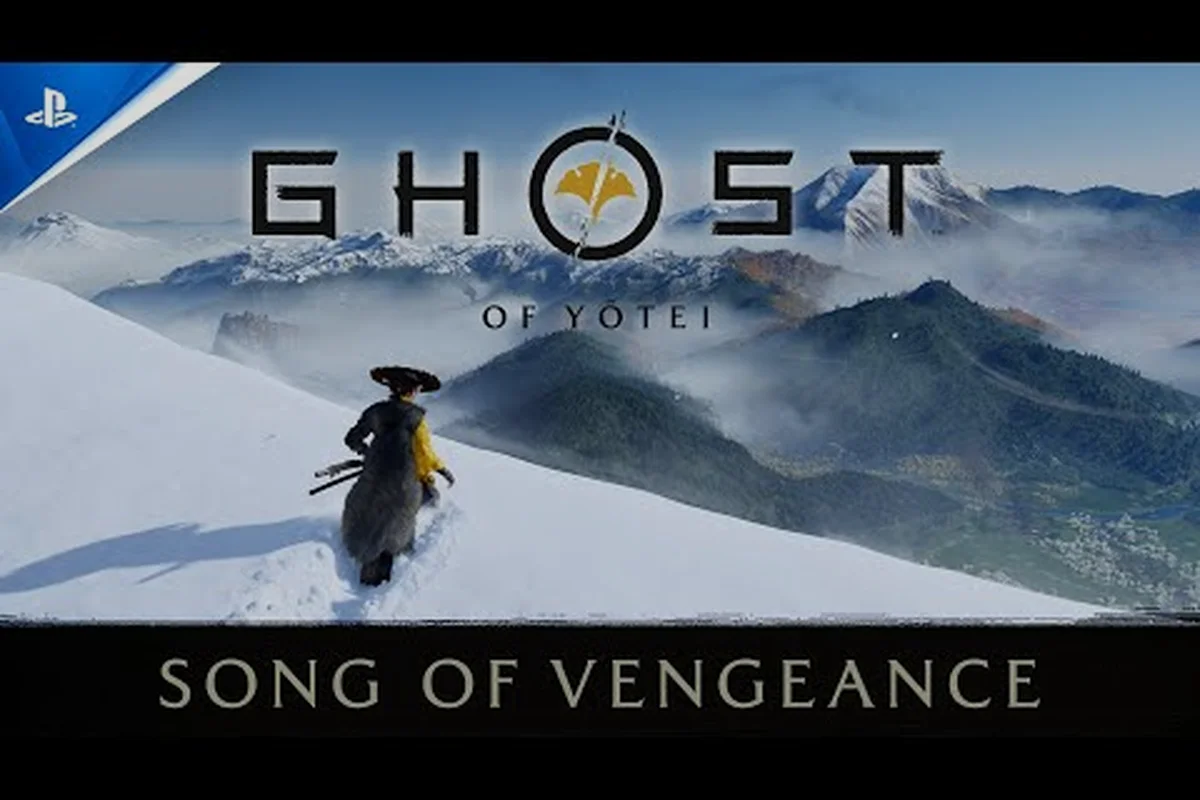
Getting the most out of Sucker Punch's open-world epic means more than mastering the katana — it means dialing in the right ghost of yotei settings guide options before you set foot in Ezo. With a deep accessibility suite, multiple difficulty tiers, and performance modes that vary between PS5 and PS5 Pro, the game lets you shape the experience around how you want to play, whether that's a cinematic samurai drama or a punishing survival test. Because the wrong settings can make combat feel unfair or the world look blurry, knowing what each toggle does matters more than you might expect.
The official Ghost of Yotei accessibility options page confirms the game ships with adjustable difficulty, simplified quick time events, control reminders, tutorial reminders, adjustable stick sensitivity and inversion, subtitle controls, 3D audio, and visual comfort options. Manual saving and game pausing are also supported in offline play, which is a godsend for players who need to step away mid-duel. That breadth of options means almost anyone can find a configuration that works for them, but it also means the menus can feel overwhelming at first glance.
This guide breaks down every meaningful setting, explains what each one actually does, and recommends specific configurations for different playstyles. You'll learn how the difficulty tiers compare, which performance mode suits your display, how to streamline QTEs and camera behavior, and how long a full playthrough takes at various completion levels. By the end, you'll have a personalized setup that makes your time in 1603 Ezo exactly what you want it to be.
Difficulty Settings and How They Shape the Ghost of Yotei Experience
The ghost of yotei difficulty guide starts with the core question: how hard do you want combat to be? Unlike some action games that simply scale enemy health and damage, Ghost of Yotei adjusts enemy aggression, parry windows, and how much damage you take from unblockable attacks. The result is a difficulty curve that changes how you approach every encounter, not just how many hits you can survive.
Here's how the tiers break down based on community testing and official descriptions:
| Difficulty | Enemy Aggression | Parry Window | Damage Taken | Best For |
|---|---|---|---|---|
| Easy | Low | Generous | Reduced | Story-focused players, newcomers to action games |
| Medium | Moderate | Standard | Standard | The intended experience for most players |
| Hard | High | Tight | Increased | Veterans of the combat system |
| Lethal | Maximum | Very Tight | One-to-two hits | Players seeking the ultimate challenge |
Lethal difficulty deserves special attention because it fundamentally changes the game. Enemies deal massive damage, often killing you in a single hit even with upgraded armor, and their attack patterns become more varied and less telegraphed. This mode isn't just a stat adjustment — it forces you to rely on perfect parries, well-timed dodges, and the weapon counter system. If you're considering it, the hard mode guide covers advanced combat techniques that become essential at this level.
The game allows you to change difficulty at any time from the pause menu, so there's no penalty for starting on Medium and dropping to Easy for a particularly tough boss. That flexibility is a core part of the ghost of yotei settings guide philosophy — the game wants you to find the challenge level that keeps you engaged without causing frustration. Some players report that switching between difficulties mid-playthrough can slightly affect trophy progression, so if you're aiming for the platinum, it's worth checking whether difficulty-specific trophies exist before you lower the bar.
Understanding the Lethal Difficulty Trade-Off
Lethal mode isn't just about surviving — it's about mastering the game's systems. Enemy AI becomes more unpredictable, with feints and delayed attacks designed to punish players who rely on reaction alone. The parry window shrinks to a few frames, and blocking becomes less effective against heavy attacks. Community reports suggest that players who complete the game on Lethal often find the duels against the Yotei Six to be the most rewarding encounters in the entire game, precisely because the margin for error is so thin.
That said, Lethal isn't for everyone, and the game respects that. You can always drop back to Hard or Medium without restarting, and the game never locks content behind difficulty. The only real incentive for playing on higher difficulties is personal satisfaction and bragging rights, not exclusive rewards. That design choice keeps the ghost of yotei difficulty guide honest — you're choosing the challenge for yourself, not because the game punishes you for playing on Easy.
Performance and Quality Modes on PS5 and PS5 Pro
Visual settings are just as important as difficulty, especially since Ghost of Yotei is one of the best-looking games on PlayStation 5. The official Ghost of Yotei performance and modes page confirms that the base PS5 offers both performance and quality options, while the PS5 Pro adds PSSR AI-enhanced resolution and advanced ray tracing for ultra-high-definition play. Understanding these modes helps you choose between buttery-smooth combat and maximum visual fidelity.
| Mode | Resolution | Frame Rate | Ray Tracing | Best Display |
|---|---|---|---|---|
| Performance (PS5) | Dynamic 1440p upscaled to 4K | 60 FPS | Limited | 1080p or 1440p displays |
| Quality (PS5) | Native 4K | 30 FPS | Full | 4K displays with HDMI 2.1 |
| Performance Pro (PS5 Pro) | PSSR upscaled to 4K | 60 FPS | Enhanced | 4K displays with VRR |
| Quality Pro (PS5 Pro) | PSSR upscaled to 4K | 30 FPS | Advanced | 4K displays, screenshot enthusiasts |
The performance mode is the community's default recommendation for most players because the 60 FPS frame rate makes combat feel significantly more responsive. Parry timing, dodge windows, and camera control all benefit from the higher frame rate, and the visual downgrade from native 4K is barely noticeable on most displays. If you're struggling with perfect parries or finding boss fights overwhelming, switching to performance mode might help more than lowering the difficulty.
Quality mode trades frame rate for visual fidelity, adding full ray tracing that creates more realistic lighting and reflections. It's stunning for exploration and screenshots, but the 30 FPS cap can feel sluggish during intense combat. Players who prioritize immersion over challenge often prefer this mode, especially when using the cinematic camera options. The PS5 Pro's PSSR upscaling narrows the gap between modes, making quality mode more viable if you own the upgraded console.
Cinematic Modes and Visual Filters
Beyond the standard performance and quality options, Ghost of Yotei includes several cinematic modes that change the entire presentation. Kurosawa Mode returns from Ghost of Tsushima, applying a black-and-white film grain filter with period-appropriate audio. Two new modes expand on this concept: Miike Mode adds more mud and blood with a closer combat camera, while Watanabe Mode applies an original lo-fi music soundtrack. There's also a Samurai cinema mode with Japanese voiceover and English subtitles for the full chanbara experience.
These modes are purely cosmetic — they don't affect gameplay mechanics or difficulty. However, Miike Mode's closer camera can make combat feel more intense and personal, which some players find helps with focus during duels. The Japanese voiceover option is particularly popular among players who want authentic period dialogue, though you'll need to read subtitles during fast-paced combat sequences. Experiment with these modes early to find the presentation that keeps you most engaged.
Accessibility Options and QTE Simplification
The accessibility suite in Ghost of Yotei is among the most comprehensive in any AAA game, and it's a major reason why the ghost of yotei settings guide matters for such a wide audience. The official accessibility page lists adjustable difficulty, simplified quick time events, control reminders, tutorial reminders, adjustable stick sensitivity and inversion, subtitle controls, 3D audio, and visual comfort options. That's a lot of toggles, so here's what actually matters in practice.
| Setting | What It Does | Recommended Value |
|---|---|---|
| Simplified QTEs | Reduces button prompts to single presses, extends timing windows | On for accessibility, Off for challenge |
| Control Reminders | Shows button prompts during combat and exploration | On for new players, Off for veterans |
| Tutorial Reminders | Repeats tutorial messages after first showing | On for returning players, Off for replays |
| Stick Sensitivity | Adjusts camera and aiming response curve | Medium default, Lower for precision |
| Subtitle Size | Scales subtitle text from small to large | Large for readability |
| 3D Audio | Enables spatial audio for directional cues | On with compatible headsets |
Simplified QTEs are the most impactful accessibility option for players who struggle with quick-time events. The standard QTE system requires precise button presses within a short window, which can be a barrier during intense boss fights. Enabling simplification extends the timing window and reduces the complexity of prompts, making these moments far more approachable. Community reports suggest that even experienced players sometimes enable this option for specific boss fights where QTEs feel unfair.
The visual comfort options are worth exploring if you experience motion sickness or eye strain. These include camera shake reduction, motion blur toggles, and brightness/contrast adjustments. Reducing camera shake is particularly helpful during horseback riding and grappling hook traversal, which can be disorienting at default settings. The 3D audio option enhances directional awareness — you'll hear enemies approaching from behind and can pinpoint the source of distant sounds, which is genuinely useful for stealth sections.
Control Customization and Camera Behavior
Adjustable stick sensitivity and inversion options give you fine control over how the camera responds to input. Players coming from other action games often prefer higher sensitivity for faster camera tracking, while players who value precision might lower it to avoid overshooting targets. The game also supports full button remapping, which is essential for players with specific accessibility needs or those who prefer alternative control schemes.
Camera behavior extends beyond sensitivity — the game offers options for camera distance, auto-centering, and target lock behavior. Widening the camera distance gives you better situational awareness during group fights, while auto-centering can help maintain orientation during chaotic encounters. Target lock behavior is particularly important for duels, where locking onto your opponent keeps the camera focused but can limit your awareness of environmental hazards. Experiment with these settings in the opening hours to find the combination that feels most natural.
How Long to Beat Ghost of Yotei and Completion Estimates
Understanding the ghost of yotei how long to beat question helps you plan your settings strategy, because the time investment varies dramatically based on how you play. The game's non-linear structure — where you choose the order to confront the Yotei Six renegade samurai — means your playthrough length depends on how much exploration and side content you pursue between main story objectives.
| Playstyle | Main Story Only | Main + Side Content | 100% Completion |
|---|---|---|---|
| Speedrun Focus | 20-25 hours | 35-40 hours | 55-60 hours |
| Standard Play | 25-30 hours | 45-50 hours | 65-75 hours |
| Completionist | 30-35 hours | 55-60 hours | 80-90 hours |
These estimates come from community reports and reflect the game's scope, which includes the main story, the Yotei Six boss fights, optional duels, fox dens, sumi-e painting spots, onsen locations, and various collectibles. The main story alone is relatively compact because the non-linear structure lets you focus purely on the required bosses, but you'll miss most of the game's best content that way.
The 100 percent completion figure includes every collectible, all side quests, every duel, and the full trophy list. This is where the ghost of yotei 100 percent completion effort really shows — tracking down every fox den and sumi-e painting spot requires methodical exploration, and some of the optional duels are among the hardest encounters in the game. If you're aiming for this level of completion, consider enabling tutorial reminders and control reminders to keep important information fresh during long sessions.
Planning Your Playthrough Around Settings
Your target completion level should influence your settings choices. Players aiming for the platinum trophy might want to start on Medium difficulty to learn the combat systems, then consider a New Game+ run on Hard or Lethal for the additional challenge. The game's save system supports manual saving, which lets you create checkpoints before difficult encounters — a feature that's invaluable for trophy hunting.
For players focused on the main story, performance mode is almost mandatory because the 60 FPS frame rate makes boss fights feel fairer and more responsive. You can also enable simplified QTEs and tutorial reminders without any downside, since you're not pursuing challenge-based trophies. The accessibility options exist to make the game enjoyable for everyone, so don't feel pressured to disable them for authenticity.
Recommended Settings for Different Playstyles
Now that we've covered each category, here are three complete configurations based on how you want to experience Ghost of Yotei. These aren't the only valid setups, but they represent well-tested starting points that you can adjust based on your preferences.
| Setting | Cinematic Explorer | Combat Focused | Completion Hunter |
|---|---|---|---|
| Difficulty | Easy or Medium | Hard or Lethal | Medium |
| Performance Mode | Quality | Performance | Performance |
| Cinematic Mode | Kurosawa or Samurai | Miike | None |
| Simplified QTEs | On | Off | On |
| Tutorial Reminders | On | Off | On |
| Camera Shake | Reduced | Default | Reduced |
| Subtitle Size | Large | Medium | Large |
The Cinematic Explorer setup prioritizes atmosphere and story over challenge. Quality mode with Kurosawa or Samurai cinema mode creates an immersive period drama experience, while Easy difficulty lets you progress through the story without getting stuck on tough encounters. This is the best way to experience the game's narrative and visual presentation.
The Combat Focused setup is for players who want the full challenge of the combat system. Performance mode ensures responsive controls, while Hard or Lethal difficulty forces you to master parrying, dodging, and the weapon counter system. Disabling simplified QTEs and tutorial reminders keeps the experience pure, and Miike Mode's closer camera adds intensity to every fight. If you're struggling with specific encounters, the combat guide offers detailed strategies for the game's trickier mechanics.
The Completion Hunter setup balances challenge with efficiency. Medium difficulty keeps combat engaging without being punishing, while performance mode ensures smooth gameplay during long sessions. Simplified QTEs and tutorial reminders reduce frustration during repetitive collectible runs, and reduced camera shake helps prevent fatigue during extended exploration. This setup is designed for players working toward the ghost of yotei platinum trophy guide goals.
Adjusting Settings Mid-Game
One of the best features of Ghost of Yotei's settings system is that you can change almost everything at any time from the pause menu. This means you don't need to commit to a configuration before starting — you can adapt as you learn the game's systems and discover what works best for you.
A practical approach is to start with the Cinematic Explorer setup if you're new to action games, then gradually increase difficulty and disable accessibility options as you become more comfortable. Conversely, if you start on Hard and find yourself frustrated, dropping to Medium or Easy isn't a failure — it's the game working as intended. The settings exist to serve your enjoyment, not to gate content behind arbitrary challenge.
Frequently Asked Questions
Can I change difficulty settings after starting the game?
Yes, you can change difficulty at any time from the pause menu without restarting. The game saves your progress and adjusts enemy behavior, damage values, and parry windows dynamically. This flexibility lets you tailor the challenge to your current skill level, whether you're stuck on a boss or finding combat too easy.
What is the best performance mode for Ghost of Yotei?
Performance mode at 60 FPS is generally recommended for most players because it makes combat feel more responsive and precise. Quality mode offers better visuals with ray tracing but caps at 30 FPS. On PS5 Pro, the PSSR-enhanced performance mode provides the best balance of visual fidelity and frame rate.
Does enabling accessibility options affect trophy progression?
No, accessibility options like simplified QTEs and tutorial reminders do not affect trophy progression. The game does not lock trophies behind difficulty settings or accessibility features. You can enable any combination of options and still earn the platinum trophy, making the game fully accessible to all players.
How long does it take to 100 percent complete Ghost of Yotei?
A full 100 percent completion run typically takes 65 to 90 hours, depending on your familiarity with the game and how efficiently you track collectibles. This includes the main story, all side quests, every duel, and all collectibles like fox dens and sumi-e painting spots. Using the in-game tracking tools helps reduce this time significantly.
What is Lethal difficulty and should I try it?
Lethal is the hardest difficulty, with enemies dealing massive damage and parry windows tightened significantly. It's built for players who've mastered combat against the Yotei Six and want a brutal challenge. Try it on New Game Plus after finishing once, and switch back if it stops being fun.